
What does this screen do?
Certificates for addresses such as a VPN, an email server or a camera recorder do not renew themselves. When one expires, VPN clients, email programs and phones cannot connect. You often notice this only when complaints come in. SSL monitoring checks these addresses regularly and warns you before a problem occurs. You do not need to install anything on your server or device.
When should you use it?
- If you have a FortiGate SSL-VPN, Outlook (OWA) or Exchange address
- If you want to monitor the IMAP, SMTP or POP3 certificate of your email server
- If Plesk, cPanel or the management screen of a device is open to the internet
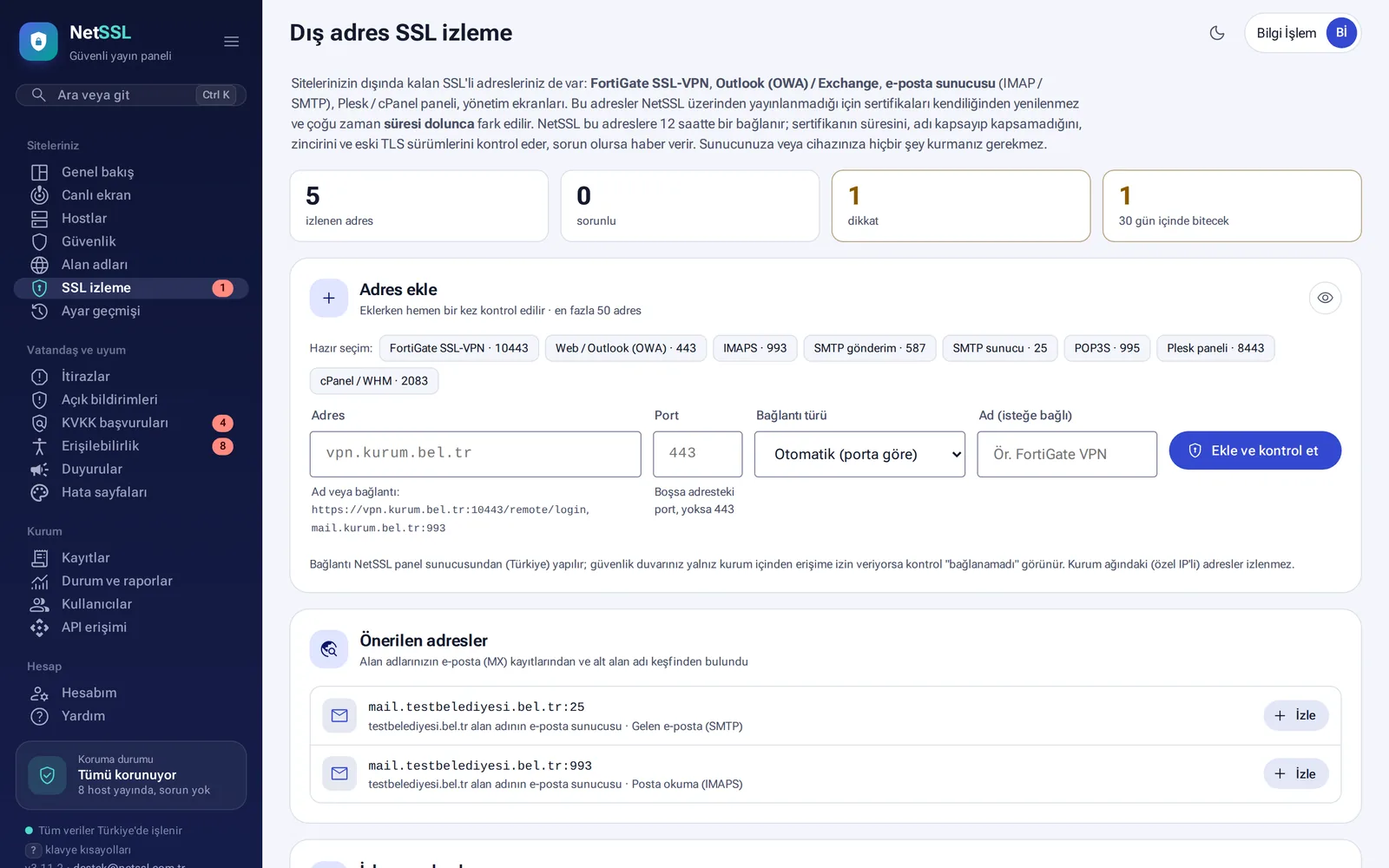
Add an address
- On the Your sites → SSL monitoring page, go to the Add address section.
- Pick one of the presets, or type the address and port. If the port is empty, the port in the address is used. If there is none, 443 is used.
- Click the Add and check button. The address is checked once as soon as it is added.
| Preset | Port |
|---|---|
| FortiGate SSL-VPN | 10443 |
| Web / Outlook (OWA) | 443 |
| IMAPS | 993 |
| SMTP submission / server | 587 / 25 |
| POP3S | 995 |
| Plesk panel | 8443 |
| cPanel / WHM | 2083 |
The panel also finds suggested addresses from the MX records of your domains and from subdomain discovery. You can start monitoring them with one click.
What is checked?
For each address, the panel checks the certificate's expiry date, whether the name matches the address, the intermediate certificate chain and old TLS versions. The list also shows the issuer of the certificate and the TLS version in use. Addresses without problems are checked every 12 hours. Addresses with problems are checked every 6 hours. You can monitor up to 50 addresses.
You get an email 30, 14 and 7 days before expiry and whenever a problem occurs. If Telegram, SMS, phone notifications and webhooks are enabled, you are notified through them too.
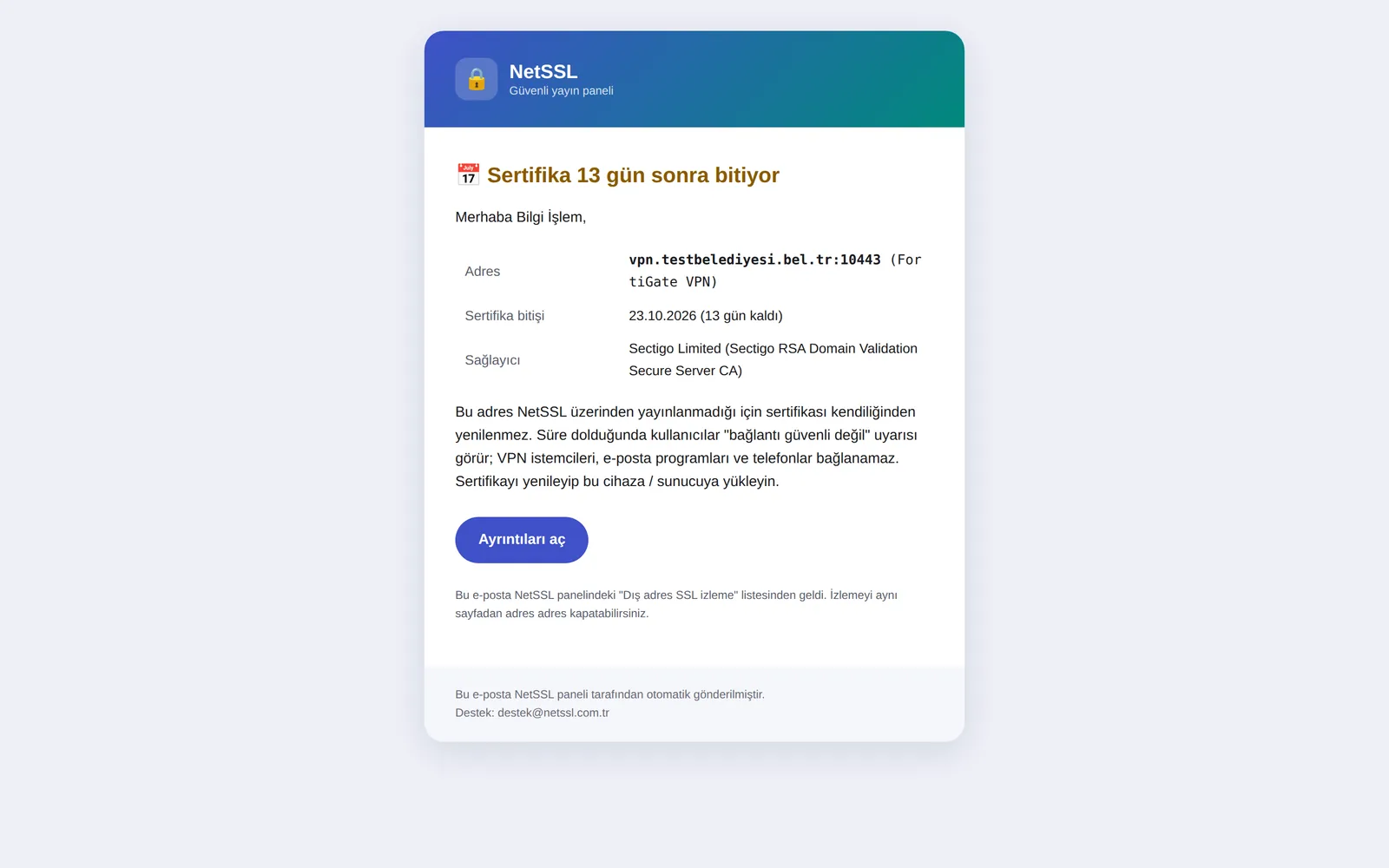
The check runs from the NetSSL server over the internet. Addresses with private IPs that are visible only inside your organization's network cannot be monitored.
Frequently asked questions
Can I turn off monitoring for an address?
Yes. Each address has its own switch. You can also use the Check button to check an address manually at any time.
Are email servers that use STARTTLS monitored too?
Yes. The connection type is chosen automatically based on the port. Addresses that use STARTTLS, such as SMTP, get their own label in the list.