
What does this screen do?
The host's Security page decides which rules the requests to that site go through. The rules run on the NetSSL server and take effect a few seconds after you save. Each protection has its own on/off switch for each site.
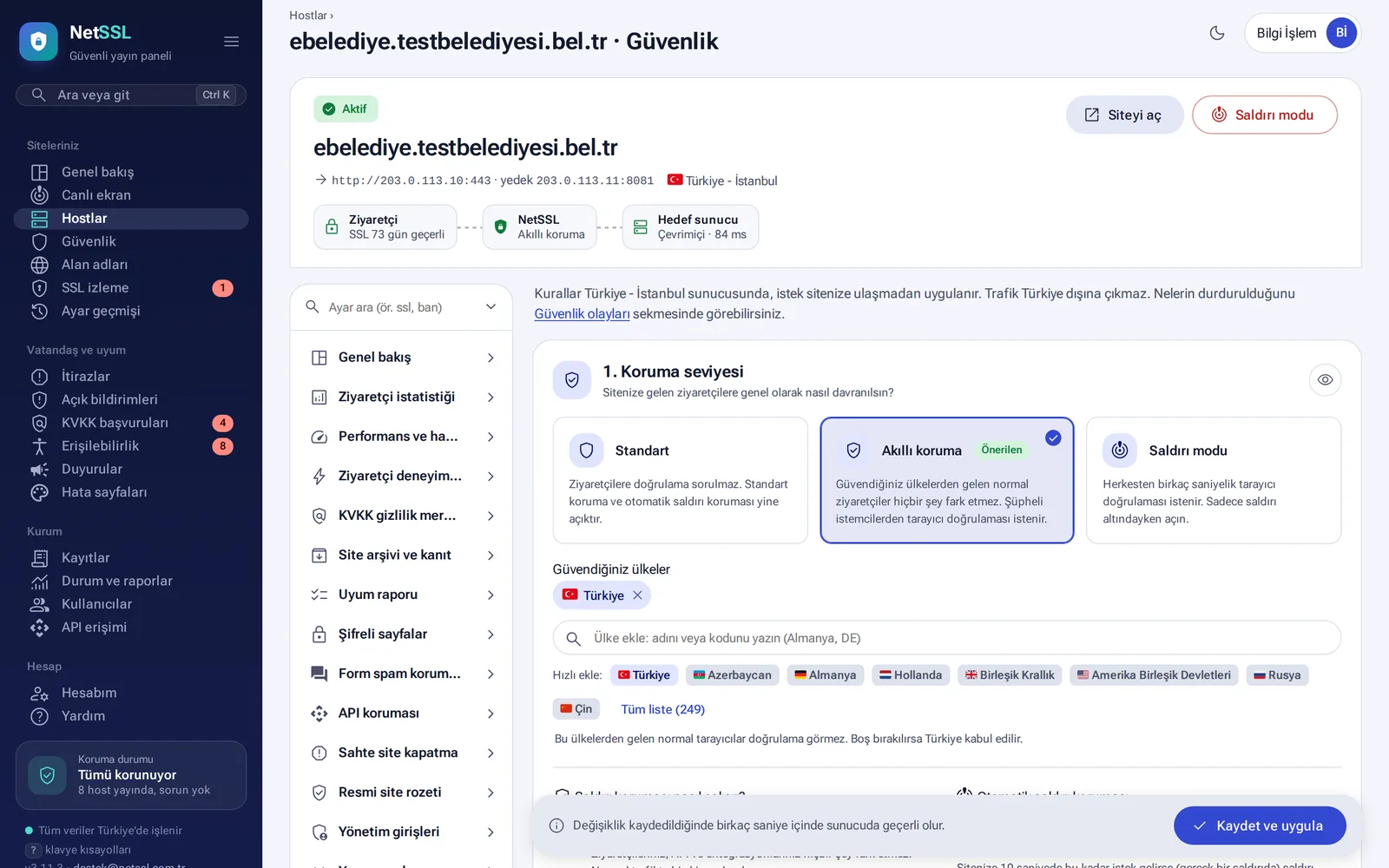
Protection level
| Level | What happens? |
|---|---|
| Standard | Visitors enter without being asked for verification. Attack rules and automatic attack protection stay on. |
| Smart protection (recommended) | Visitors from your trusted countries enter directly. Others go through a browser verification that takes a few seconds. |
| Attack mode | Everyone goes through a short browser verification. It stays on until you turn it off. |
If you leave the Trusted countries list empty, Türkiye counts as selected. All 249 countries are on the list.
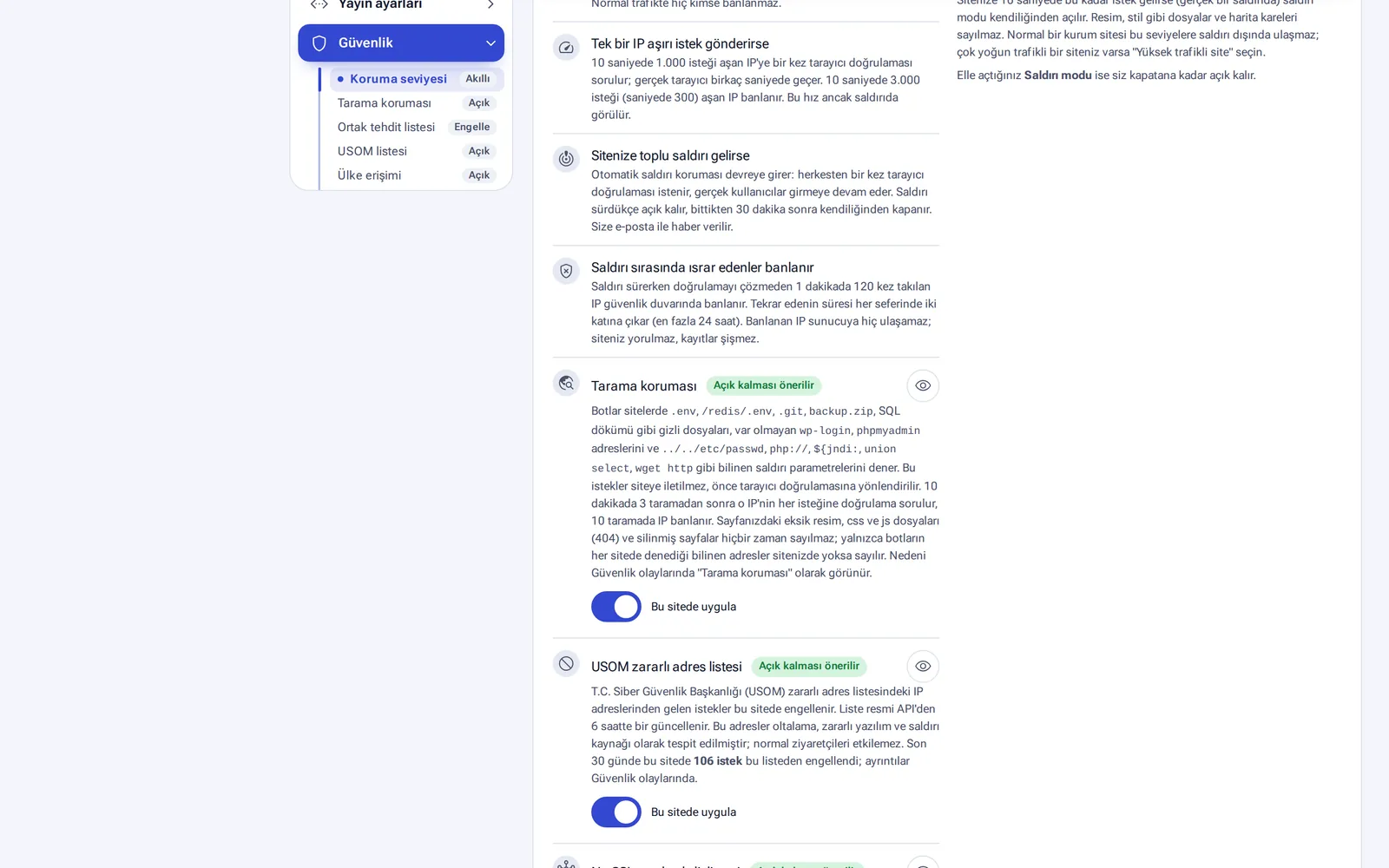
Protections that turn on by themselves
- If one IP sends too many requests: an IP that goes over 1,000 requests in 10 seconds is asked for browser verification. An IP that goes over 3,000 requests is banned.
- Mass attack: automatic attack protection asks everyone for verification once. It turns itself off 30 minutes after the attack ends, and you get an email.
- Persistent attackers: an IP that gets caught 120 times in 1 minute is banned at the firewall. The ban time doubles each time, up to 24 hours.
- Scan protection: an IP that probes addresses such as
.env,.git, backup files orphpmyadmingets verification after 3 attempts in 10 minutes and a ban after 10 attempts. - USOM malicious address list: USOM is Türkiye's national cyber incident response center. The list is updated from this official source every 6 hours.
- NetSSL shared threat list: an address that attacks one organization is stopped at the other organizations too.
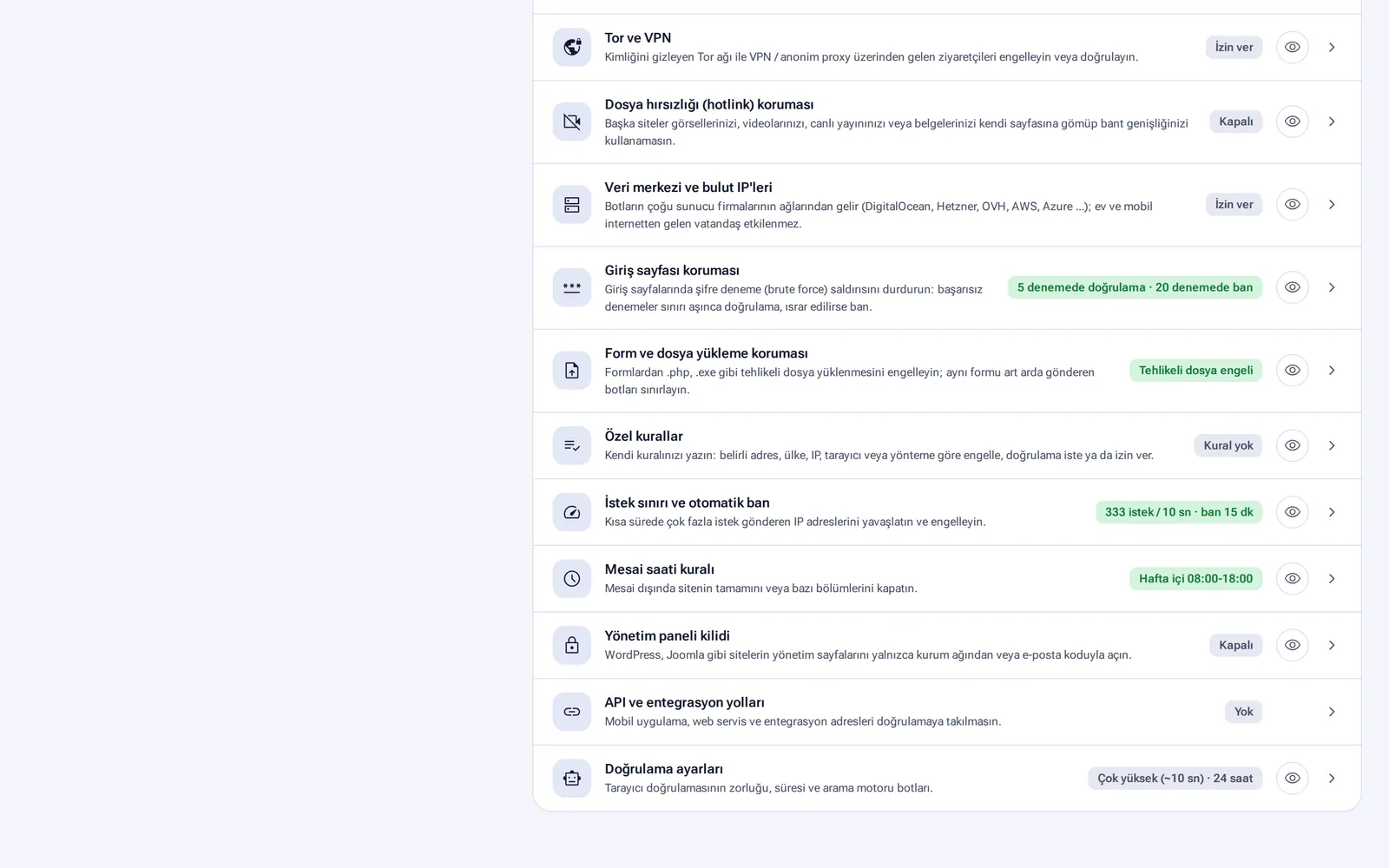
Additional rules
You turn on each rule separately. The eye icon previews the page that the rule will show to visitors.
- Country access, IP address lists (allow, exempt, block)
- AI bots (content scrapers such as ChatGPT, Claude and Perplexity)
- Tor and VPN and data center and cloud IPs (block or require verification)
- Login page protection: verification after 5 failed attempts, a ban after 20 attempts
- Form and file upload protection: dangerous files such as
.phpand.exe, and rapid repeated submissions - Request limit and automatic ban, working hours rule (for example weekdays 08:00–18:00)
- Admin panel lock: admin pages of WordPress, Joomla and similar software open only from your organization's network or with an email code
- File theft (hotlinking): other sites cannot use your images, videos and documents
- Custom rules: block, verify or allow by address, country, IP, browser and method
Test mode
Before you turn on a new rule, tick the Test box. The rule blocks no one and only counts. The panel gives you a summary like this: “This rule would have blocked 412 requests in the last 24 hours, 12 of them from Türkiye, from 85 different IPs.” If the result looks right, click the Switch to blocking button.
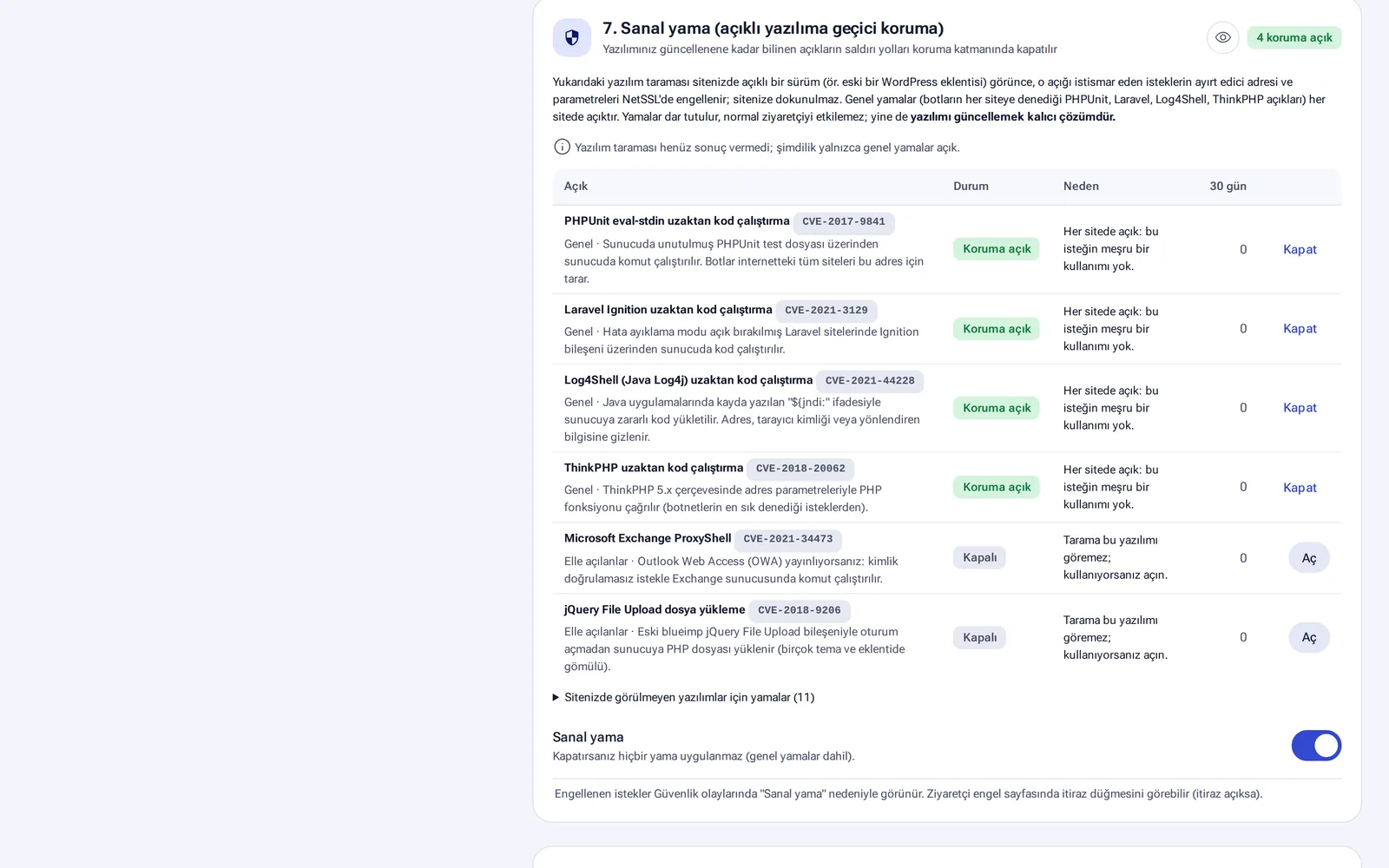
Virtual patching and other protections
- Virtual patching: requests aimed at known vulnerabilities are stopped until your software is updated. The PHPUnit, Laravel Ignition, Log4Shell and ThinkPHP patches are on for every site. You turn on patches such as Exchange ProxyShell and jQuery File Upload as needed.
- Cookie security: missing
Secure,HttpOnlyandSameSiteflags are added to the session cookies your server sends. You can exclude cookies used by virtual POS payments or e-Devlet login. - Bot management: real Google and Bing bots are verified by their IP address and let through. Fake ones are blocked. Automation tools such as curl and Python are limited to 120 requests per minute.
- External script monitoring and CSP: you are notified when new external code is added to your pages. The content security policy first runs in Report only mode. It can be switched to Enforce mode after at least 3 days.
- Exposed file and secret key scan: once a week, the scan looks for exposed backups, configuration files and SQL dumps, and for passwords visible in page code. The values it finds are not stored.
- Software versions: once a day, old and vulnerable versions of software such as WordPress, Joomla, jQuery and PHP are checked passively. No penetration testing is done.
Target server protection
If an attacker can bypass NetSSL and connect to your server directly, the protection is incomplete. The panel regularly checks whether your server is directly open to the internet. To help you allow only NetSSL addresses in your firewall, guides are ready for FortiGate, Sophos, Palo Alto, Check Point, WatchGuard, pfSense, MikroTik, Labris, Windows Server, Linux and Plesk/cPanel.
Run rules with a broad effect, such as country access and request limits, in test mode for a few days. Switch to blocking once you see that they do not affect real visitors.
Frequently asked questions
With smart protection, are visitors from Türkiye asked for verification?
No. Visitors from your trusted countries enter directly. Only visitors from other countries and from suspicious sources are asked for verification.
What does verification show the visitor?
A “Verifying your browser” page for a few seconds. The visitor does not need to click anything or pick images.
Will our mobile app or integrations be affected?
You define API and integration paths separately. Requests on these paths are not asked for verification.