
What does NetSSL do?
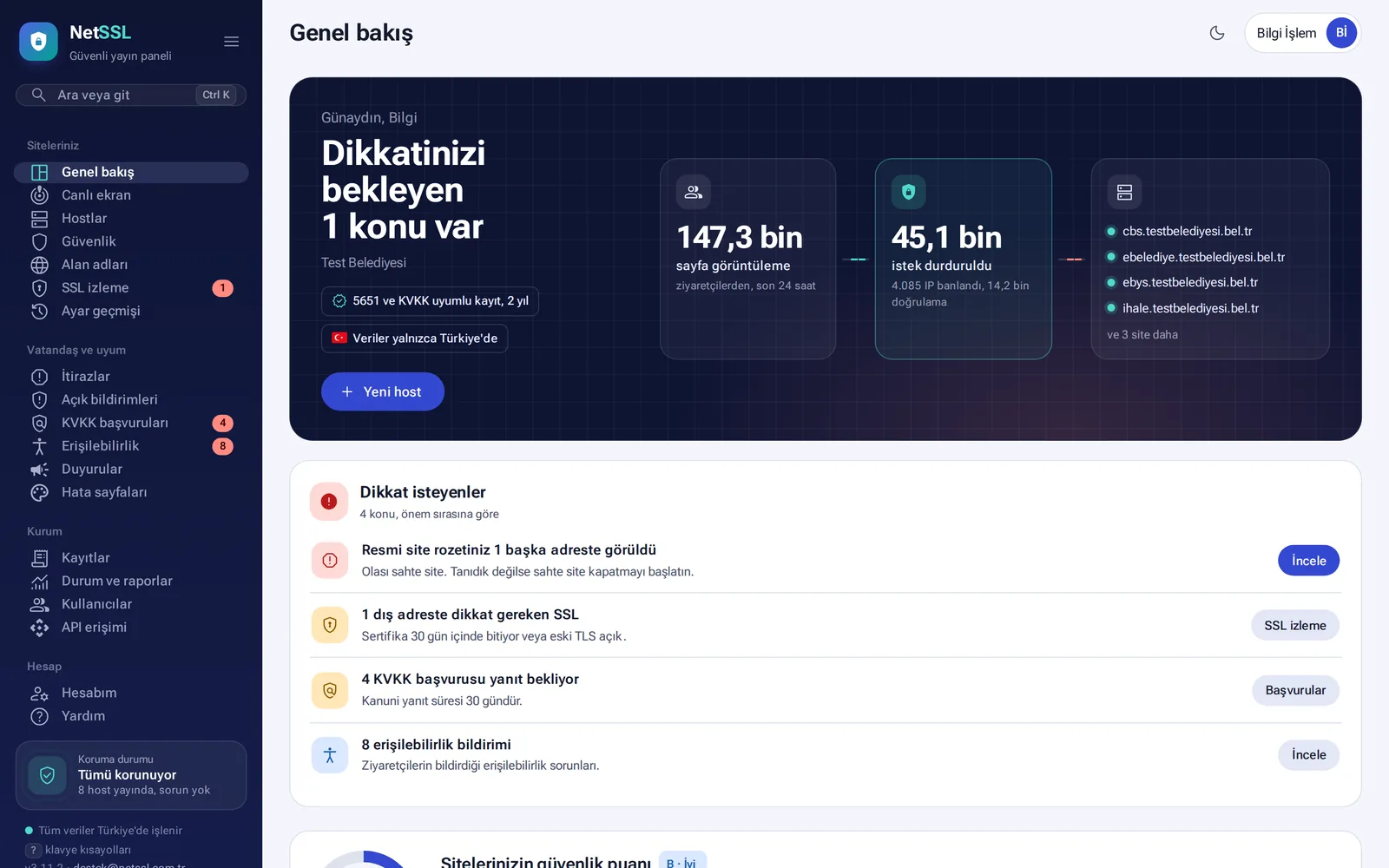
NetSSL lets municipalities, public institutions and companies publish their websites securely from a single panel. Your site stays on your own server. Visitors reach your site through NetSSL, and three things happen automatically on the way:
- The connection is encrypted with SSL. The certificate is obtained automatically and renewed before it expires.
- The request passes through security rules. Attacks and malicious bots are stopped before they reach your site.
- Every request is logged in compliance with Law No. 5651.
Traffic and logs are processed and stored in our own facility in Ankara.
How does it work?
- A visitor types your site's address. The request arrives at the NetSSL server.
- NetSSL encrypts the connection, passes the request through the security rules and logs it.
- Your server receives only clean requests.
You do not need to move your site, change your software or install anything on your server. The top of every host page shows this path live. It shows how many days the SSL certificate is still valid, which protection is on and your target server's response time.
Add your first site
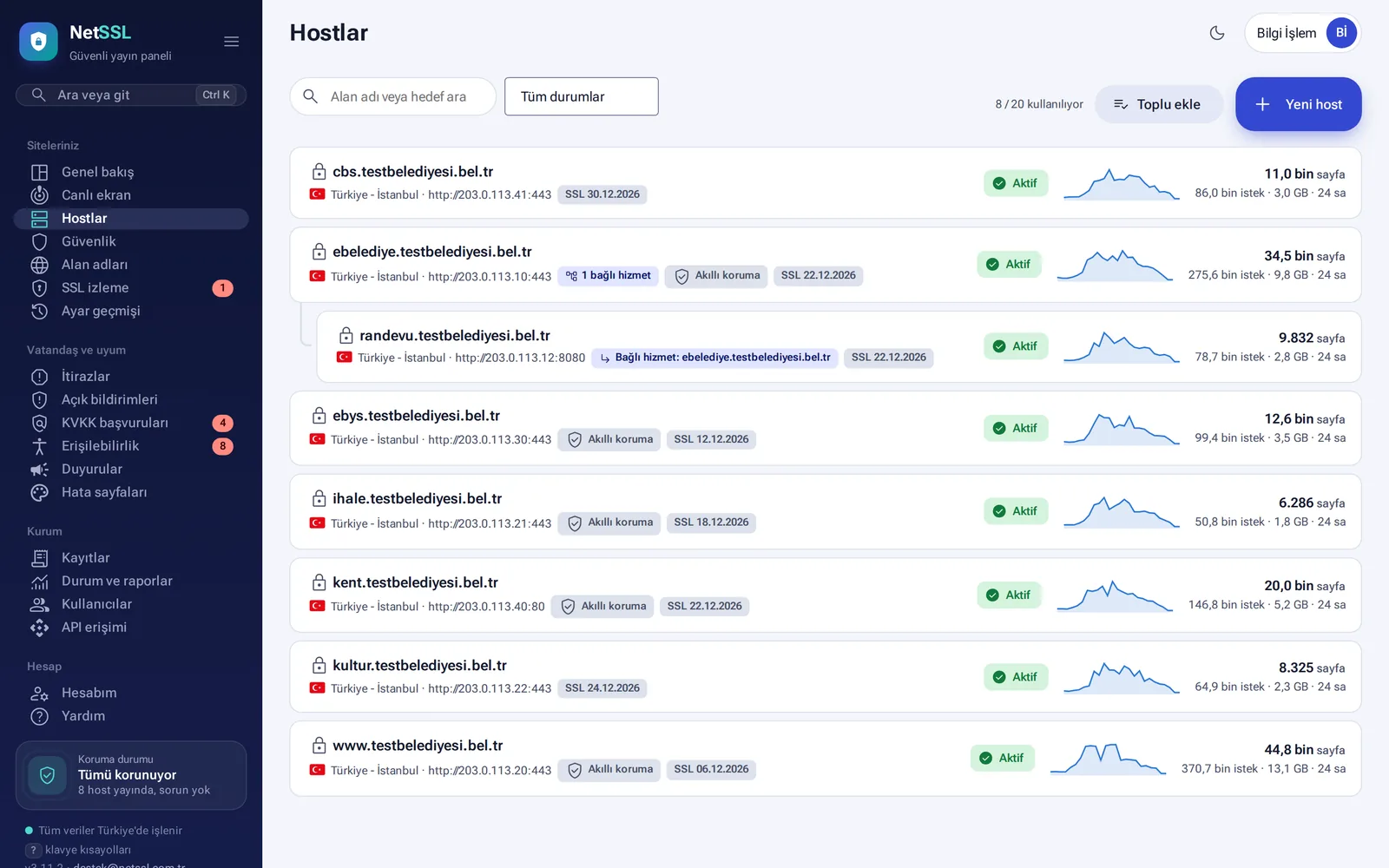
- On the Your sites → Hosts page, click the New host button. If you have many sites, you can add them all at once with Bulk add.
- Enter the site's address and your target server (IP or domain name, port, http or https).
- Add the DNS record that the panel shows to your domain. This is usually a single CNAME record that points to
tr.netssl.com.tr. - The panel checks the DNS record itself. As soon as the record is visible, the SSL certificate is obtained and the site goes live. This usually takes a few minutes.
Add the second address under Publishing settings → Additional address. Visitors are redirected to the main address, and the additional address is added to SSL automatically.
Additional addresses and linked services of a site
A site can have separate addresses, such as appointment booking or e-municipality services. You can link them to the main site as a Linked service. Linked services take their security settings from the main site, and their statistics appear in the main site's summary. Logs, however, are kept separately for each address, as the law requires.
The visitor's real IP address
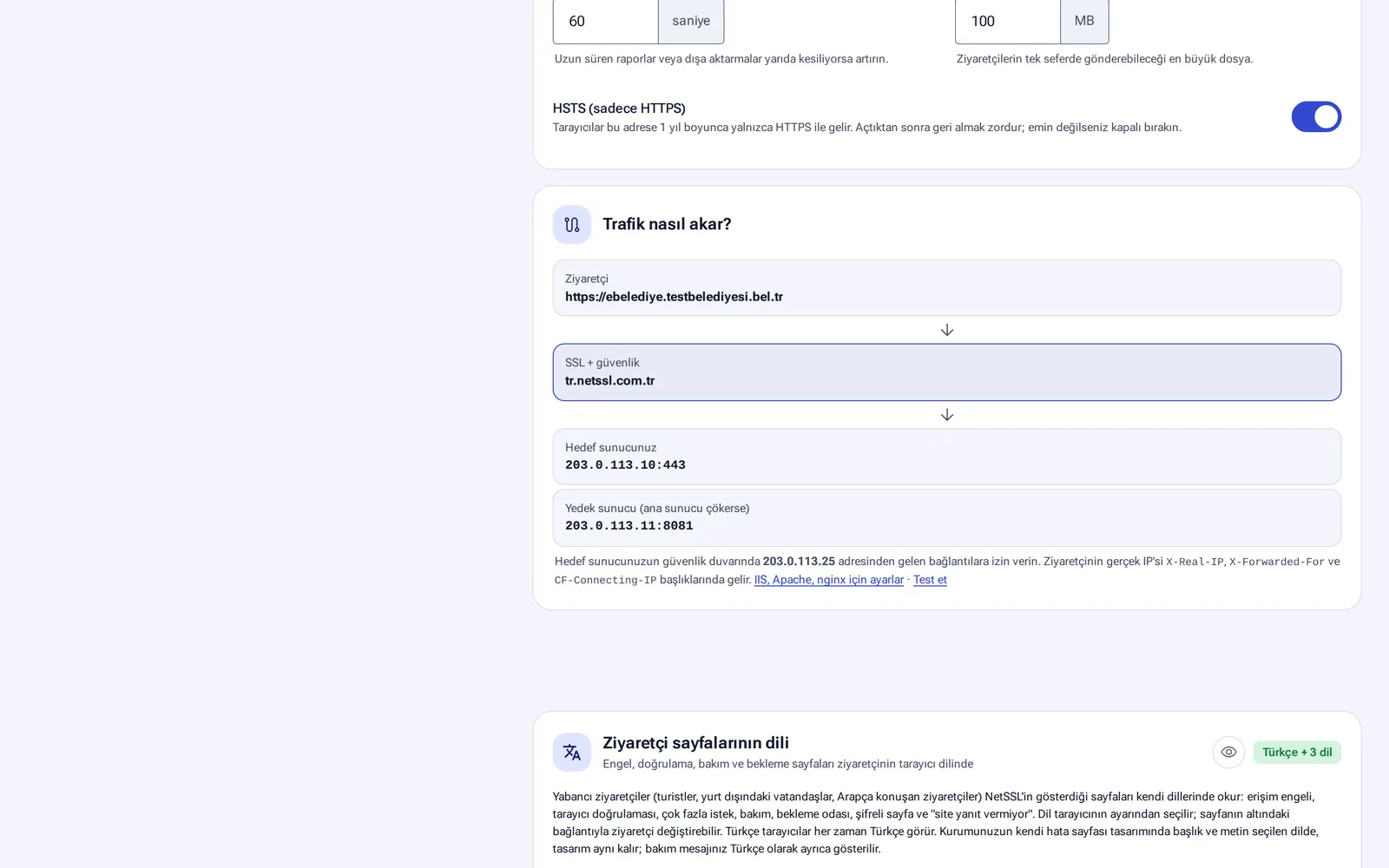
Your server receives requests from NetSSL, so its own logs show NetSSL's address. The visitor's real IP address is passed in the X-Real-IP, X-Forwarded-For and CF-Connecting-IP headers. The setup steps for IIS, Apache and nginx are under Publishing settings → How does traffic flow? You can use the Test link in the same place to see whether the setting is correct.
Frequently asked questions
Do we need to move our site?
No. Your site stays on your own server. Only the DNS record is pointed to NetSSL.
Do we need to install anything on our server?
Not for the basic service. If you want the wildcard SSL certificate installed automatically on your organization's servers, a small agent is installed on those servers only.
Can it be used for live streaming or radio broadcasting?
No. NetSSL is for websites and web applications. It does not carry live TV, radio or video streams. For these, see our live streaming services.