
What does this screen do?
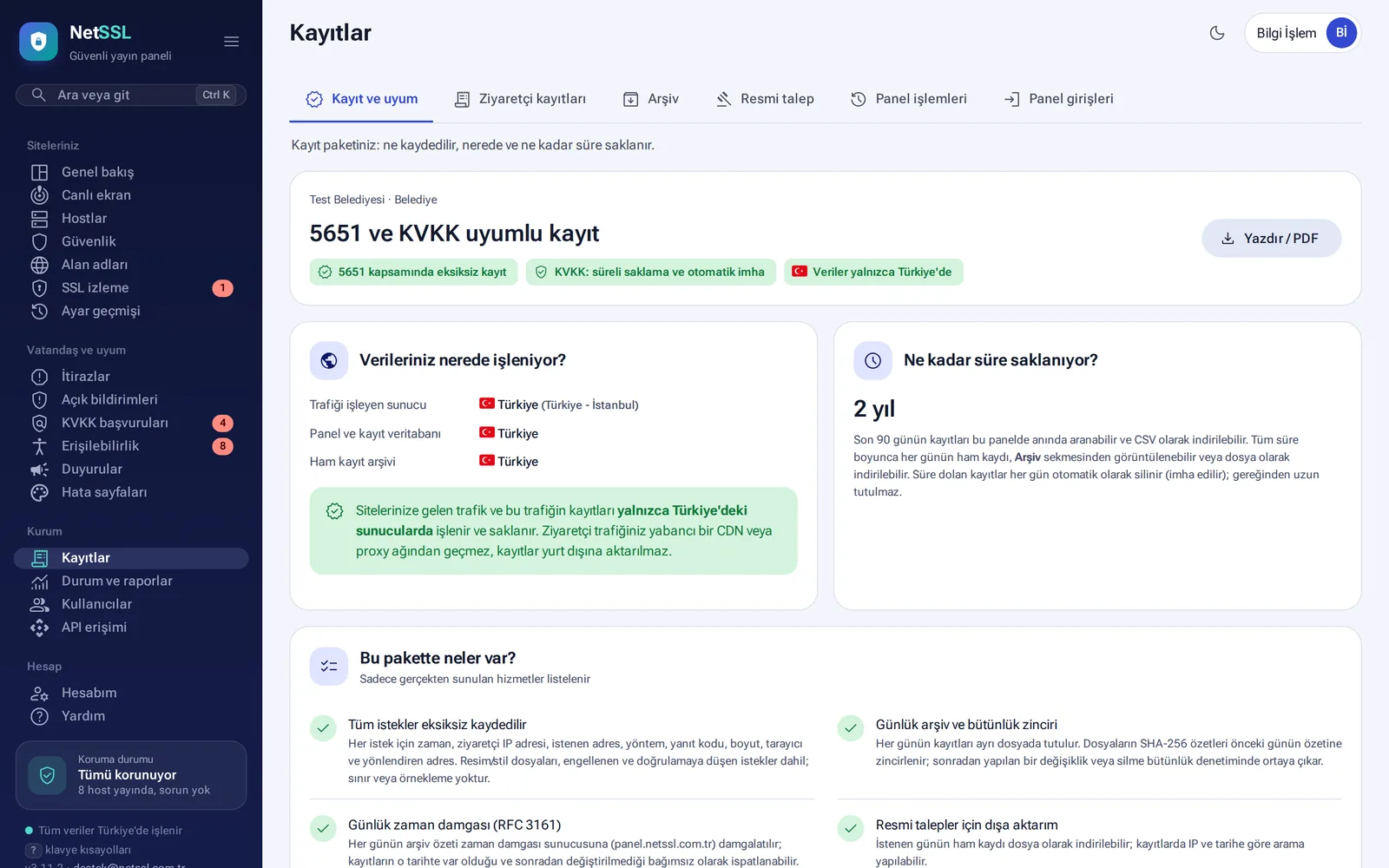
Law No. 5651 requires organizations to keep access logs and to protect their accuracy and integrity. The Organization → Logs page shows on a single page what is logged, where it is stored and for how long. You can print this page and use it as documentation of your logging package during an audit.
What is logged?
Every request is logged without limits and without sampling. Each entry holds the time, IP address, requested address, method, response code, size, browser and referring address. Image and stylesheet requests are logged too, as are blocked requests and requests sent to verification.
Where are logs stored, and for how long?
- The traffic, the panel, the log database and the raw archive are all in our own facility in Ankara. Traffic does not pass through a foreign CDN or proxy network. Logs are not transferred abroad.
- For municipalities and public institutions, logs are kept for 2 years.
- You can search the last 90 days instantly in the panel and download them as CSV. For the whole retention period, you can download each day's raw log from the Archive tab.
- Expired logs are destroyed automatically every day.
- Under KVKK (Türkiye's Personal Data Protection Law No. 6698), your organization is the data controller and NetSSL is the data processor.
How do you prove the logs were not altered?
- Each day's log is linked to the previous day's log with a SHA-256 chain. If a record is deleted or changed, the chain breaks.
- Every day, a timestamp is obtained under the RFC 3161 standard. You can download the timestamp file (
.tsr) from the panel and read how to verify it in the same place. - Log transfer between the server and the panel is encrypted and signed.
Responding to an official request
When a prosecutor's office or a court asks about an IP address or a date range:
- Open the Logs → Official request tab.
- Enter the date range and the IP address.
- The panel prepares the relevant logs together with an official report that lists the SHA-256 hashes of the files and has signature fields. If you wish, the timestamp files are added to the package too.
Visitor logs and the authorized access log
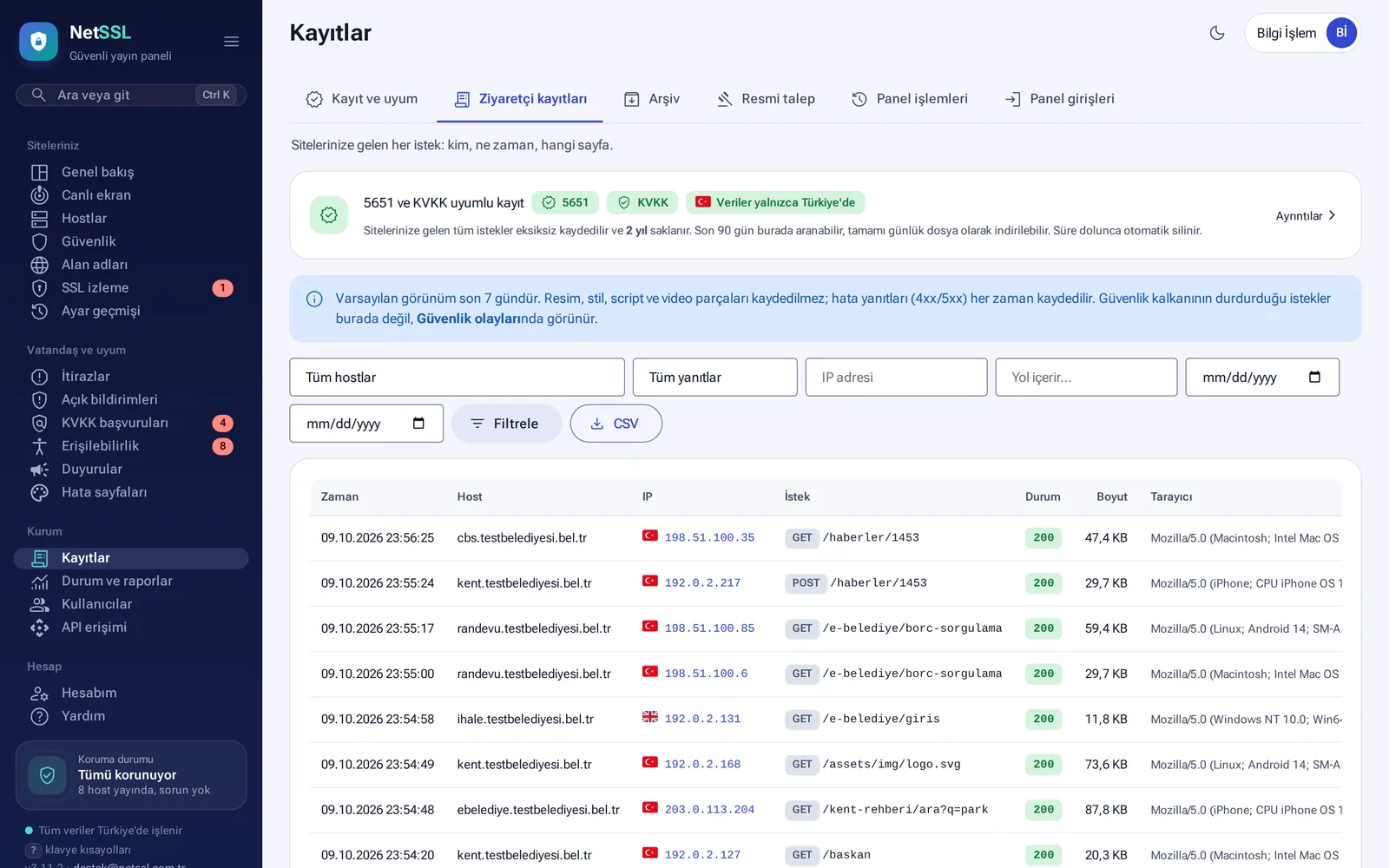
In the Visitor logs tab, you can filter requests to the site by host, response code, IP, address and date, and download them as CSV. The default view shows the last 7 days. This view does not list page assets such as images, stylesheets and scripts, but they are in the archive.
The panel also logs who accessed the logs. This covers logins by panel users and NetSSL administrators, settings changes, archive downloads and CSV exports. You find these records in the Panel actions and Panel logins tabs.
Give the Log officer (5651) role to anyone who only needs to view logs and prepare official request packages. This role cannot change settings.
Frequently asked questions
What happens to the logs if we delete a site?
The logs in the panel are deleted, but the raw Law 5651 archive is still kept for the legal period. Before deletion, the panel suggests that you download the logs.
Are logs also kept for 2 years in the company package?
The 2-year period applies to the municipality and public institution package. In the company package, the period is set in the quote.