
What are these tools for?
A site that is up is not necessarily working well. The payment page may be returning errors, the home page may have been defaced or pages may have slowed down. A host's Maintenance and notifications, Performance and errors, Visitor experience and Visitor statistics pages catch these problems before you notice them.
Downtime and page monitoring
- Target server monitoring: your server is checked every minute. If it does not respond for longer than the time you choose, you get an email. When it recovers, you get a second email that states how long the outage lasted.
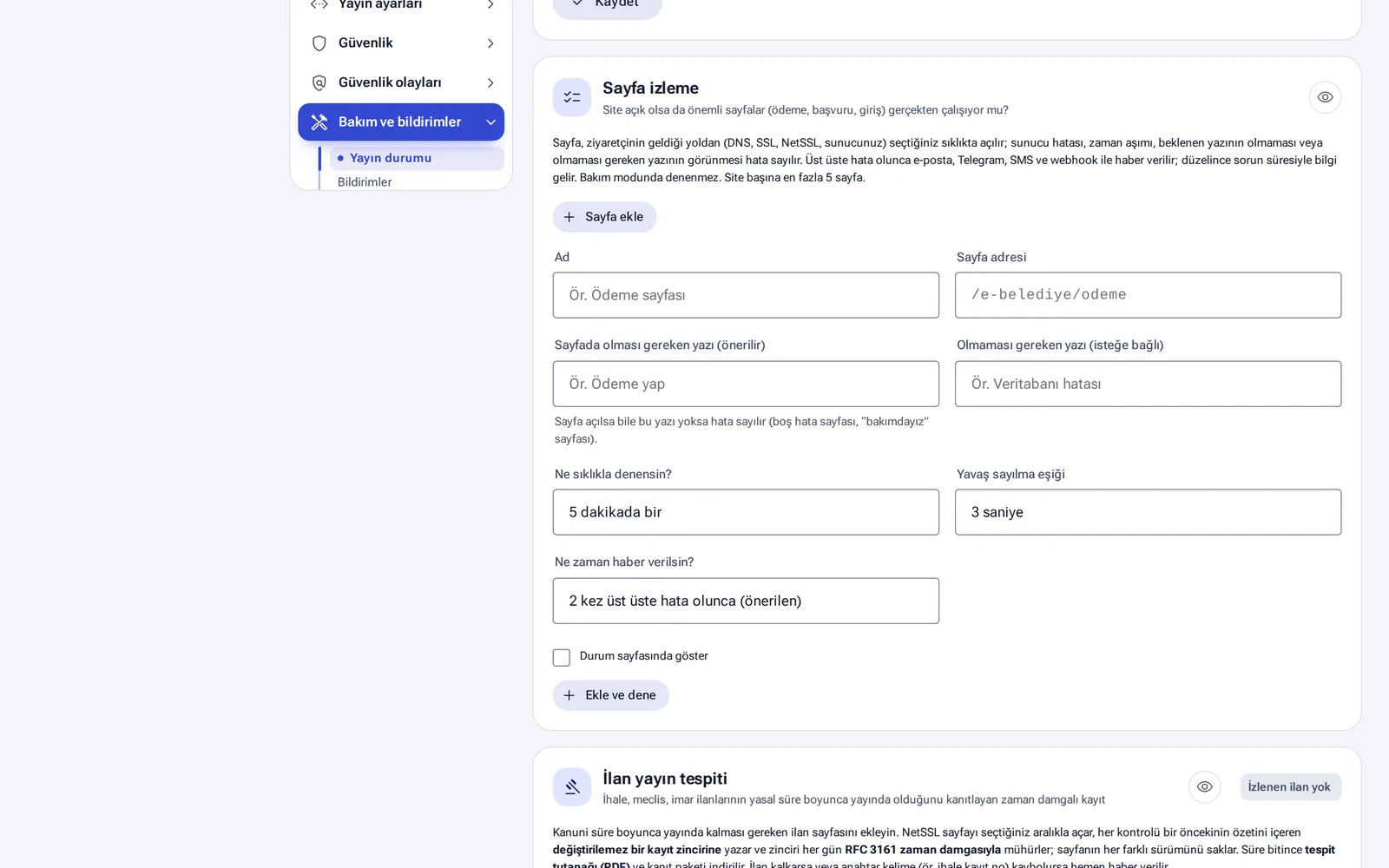
- Page monitoring: important pages such as payment, application or login pages are opened along the same path a visitor takes (DNS, SSL, NetSSL, server). You set the text that must and must not appear on the page, the check frequency (for example every 5 minutes) and the slowness threshold (for example 3 seconds). Up to 5 pages per site can be monitored. If you wish, the page also appears on the public status page.
Site change monitoring (defacement)
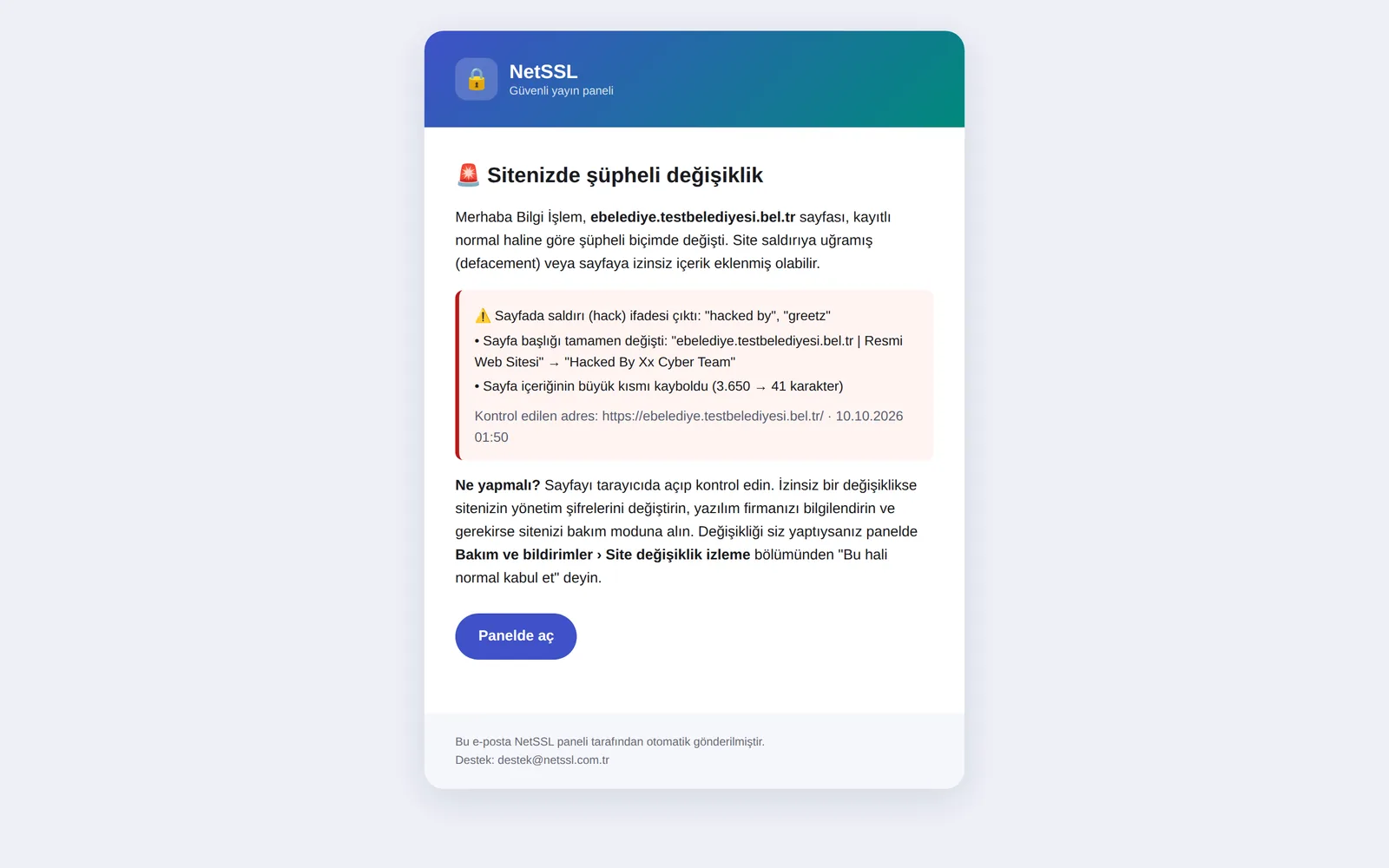
Your home page is checked every 10 minutes. An email goes to both you and the NetSSL team if the check finds the text “Hacked by”, gambling or betting spam, or new code added from an unknown external address. When an alarm fires, the page is opened once more to confirm it.
If you wish, the site is put into maintenance automatically when an attack is detected. The options are off, only when an attack or betting spam is seen, and on every suspicious change. The site stays in maintenance until you click Check and publish.
Performance and errors
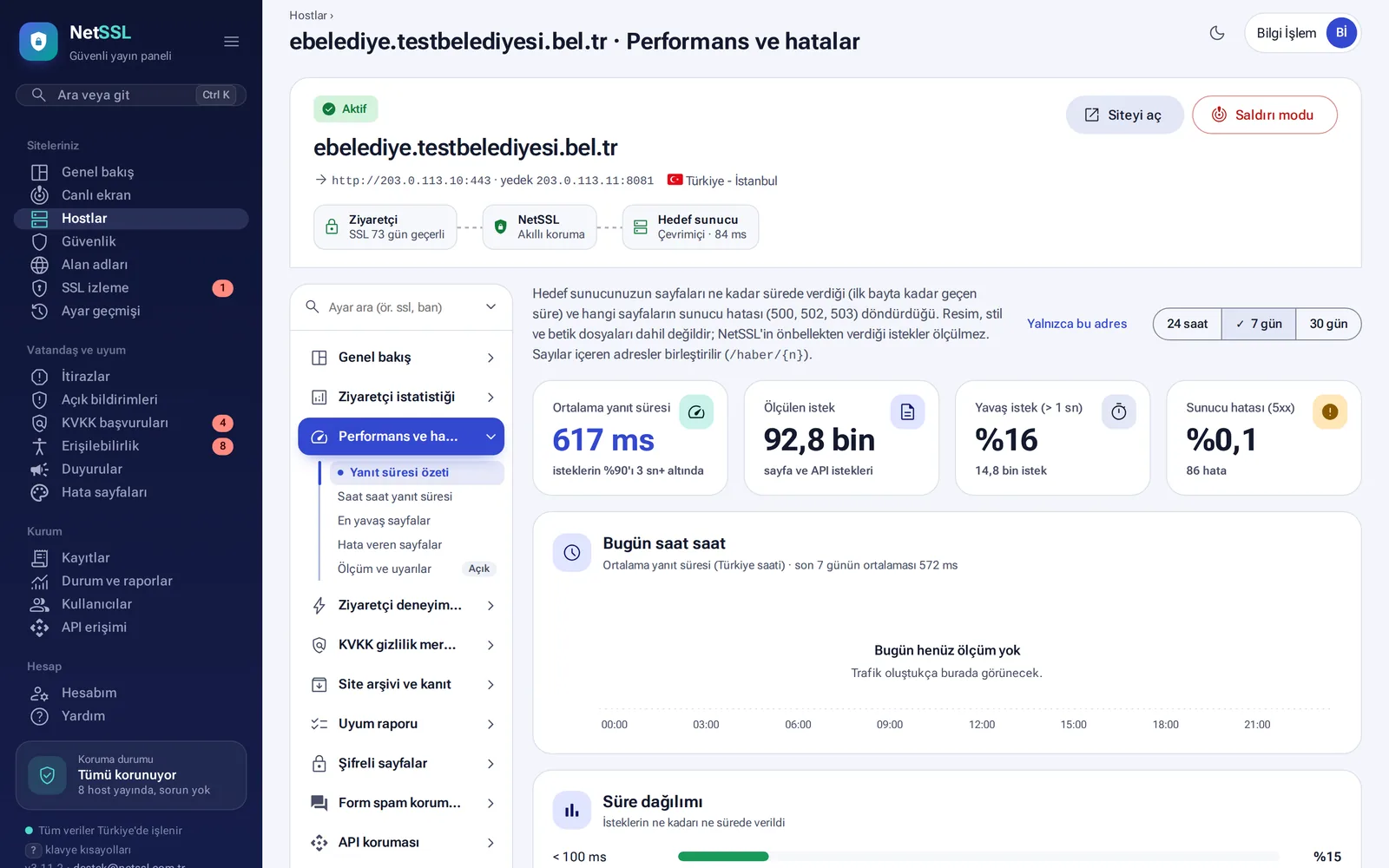
Your server's response time and its 500, 502, 503 and 504 errors are measured on the NetSSL server. This does not slow down your site. The screen shows the average response time, the time within which 90% of requests are answered, the time distribution, the slowest pages and the pages that return errors.
You get a warning if the hourly average exceeds both twice the average of the last 7 days and 1 second. You also get one if more than 5% of requests return errors in the last hour. At most one warning is sent for the same site every 6 hours.
Visitor experience (Core Web Vitals)
The three values that Google measures are measured on real visitors: loading of the main content (LCP), response to clicks (INP) and visual stability (CLS). Phones and computers are shown separately. As in Google's own criterion, the rating is based on 75% of visits. A small 3 KB script is added to the end of the page for the measurement. No cookies, IP addresses or personal data are stored.
Visitor statistics
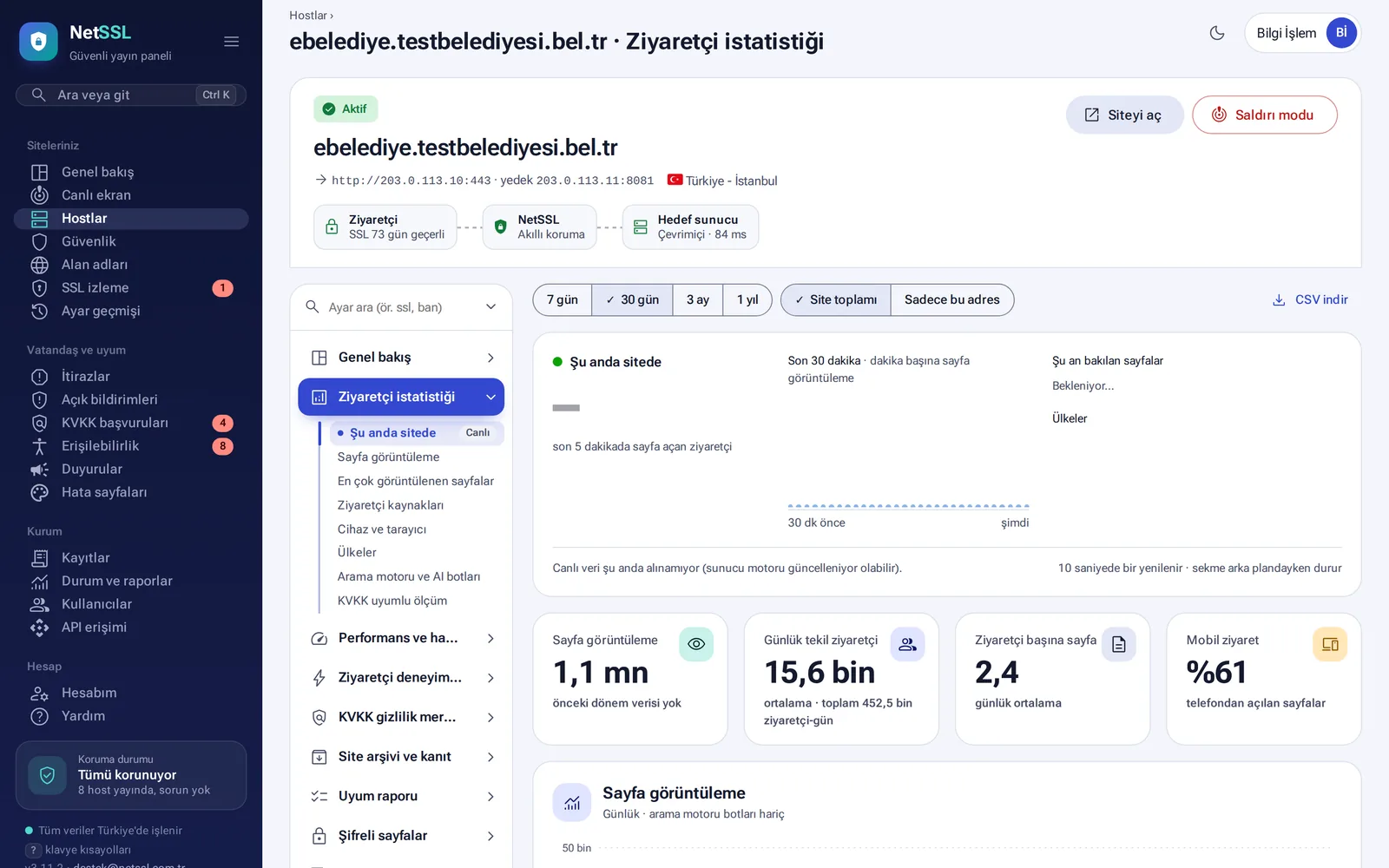
Page views, unique visitors, referring sites (Google, e-Devlet, social media), devices, browsers and countries are recorded without adding code to the site and without cookies. The On the site now section refreshes the last 5 minutes every 10 seconds. Search engine and AI bots are counted separately. The data can be downloaded as CSV.
IP addresses and browser information are not recorded. Unique visitors are counted with a key that changes every day, and this key is deleted after 26 hours. No data goes to Google.
Weekly scans
- Broken links and insecure content: the site is scanned once a week (up to 150 pages). Broken links, images that do not load and content loaded over
http://are listed. The scan only reads. It does not submit forms, does not enter the admin panel and follows robots.txt. - Missing pages (404): addresses that visitors could not find are listed. The panel suggests a suitable target from the pages opened in the last 90 days. You add a permanent (301) redirect with one click.
- Search engine visibility (SEO): robots.txt, the home page and the sitemap are checked every day. Pages without a description and pages with repeated titles are listed with a score out of 100.
Frequently asked questions
Isn't it risky to put the site into maintenance automatically?
When an alarm fires, the page is opened once more to confirm it. If you prefer, you can choose the option that puts the site into maintenance only on clear attack signs (hack messages, betting spam).
What if we get a warning about a page we changed on purpose?
Click Accept this version as normal in the panel. The new version then counts as normal and the warnings stop.