
What does the site archive do?
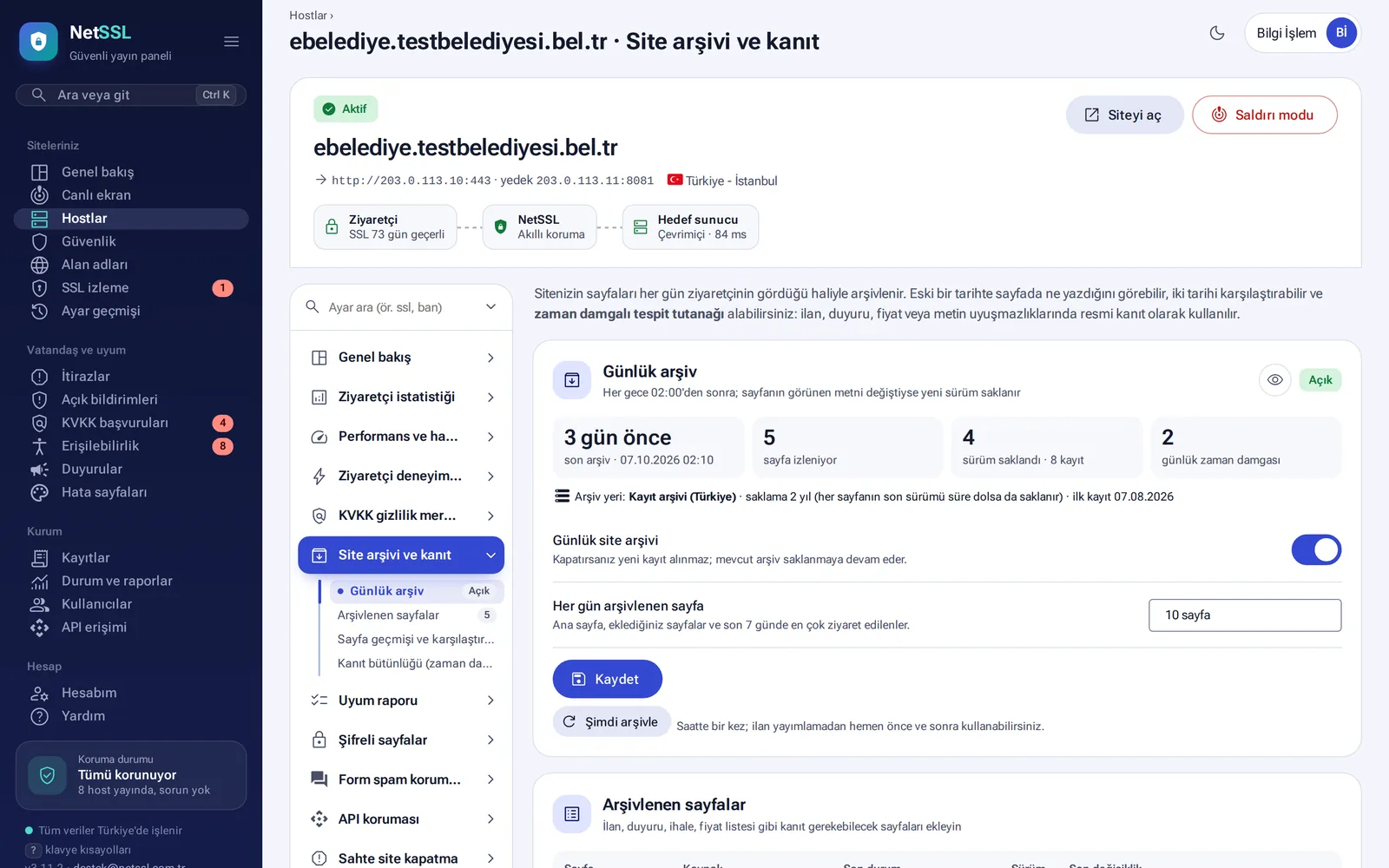
“Was this announcement on the site on that date?” This question often comes up during an appeal or an audit. The host's Site archive and evidence page saves your pages every night, exactly as visitors see them.
How does it work?
- The archive runs every night after 02:00. If the visible text of a page has changed, the new version is saved. If it has not changed, no new file is written.
- Each day, 10 pages are archived: the home page, the pages you add and the most visited pages of the last 7 days.
- The archive is kept for 2 years. The latest version of each page stays even after that period ends.
- You can use the Archive now button once an hour. We recommend using it right before and right after you publish a notice.
Compare two dates and get an official report
The Page history section lists all records of a page. Select two records and click Compare the two selected records to see the differences. For each record, you can download an Official report and an Evidence package.
Each record contains the page address, the time, the response code, the SHA-256 hashes of the page and of its visible text, and the hash of the previous record. If a record is deleted or changed, the chain breaks and the panel shows a “chain broken” warning. Each day's records are sealed with a serial-numbered timestamp.
Notice publication proof
This feature proves that tender notices, council decisions and zoning plan notices stayed online for the legally required period.
- On the host's Maintenance and notifications page, go to the Notice publication proof section.
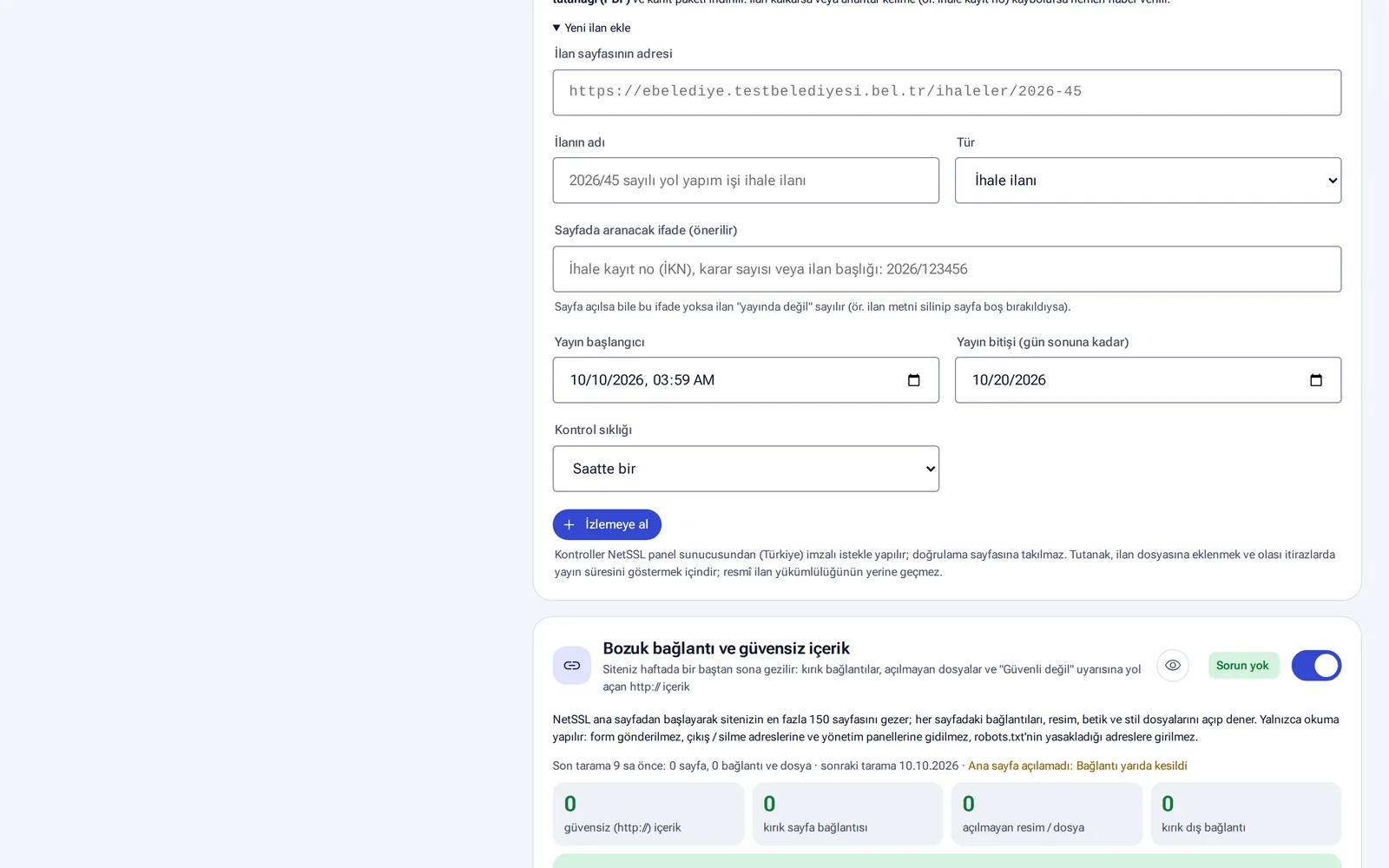
- Enter the address of the notice page, the name of the notice and its type (for example, tender notice).
- Enter the phrase to look for on the page, for example the tender registration number (İKN) or the decision number.
- Choose the start and end dates of publication and the check frequency (for example, hourly). Then click Start monitoring.
The checks are made from the panel server with signed requests. The records are written to a chain that cannot be altered, and they are sealed with an RFC 3161 timestamp every day. If the notice is removed or the phrase disappears, you are notified at once. When the period ends, you get a proof report (PDF) and an evidence package.
The proof report shows that the notice stayed online on the site. It does not replace the official notice obligation itself.
Frequently asked questions
Can we add our own important pages to the archive?
Yes. Use Add page in the Archived pages section and enter the path or the full address.
If we turn off the archive, are the old records deleted?
No. When you turn off the archive, no new records are taken, but the existing archive is still kept.