
What does the official site badge do?
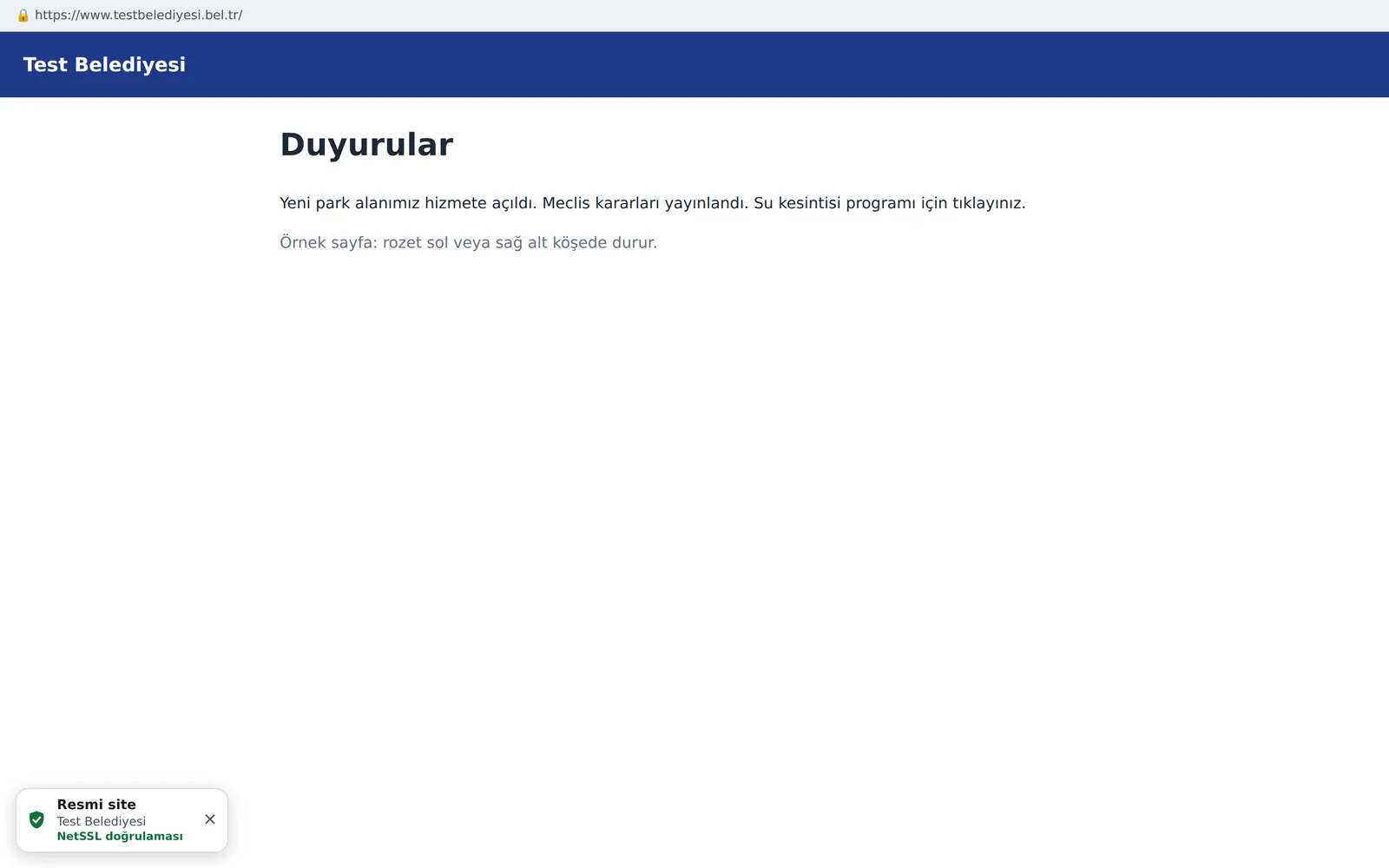
A small "Official site · Verified by NetSSL" badge appears in the corner of your site. A citizen who clicks the badge sees a verification page showing that the site belongs to your organization. You do not need to change anything on your site.
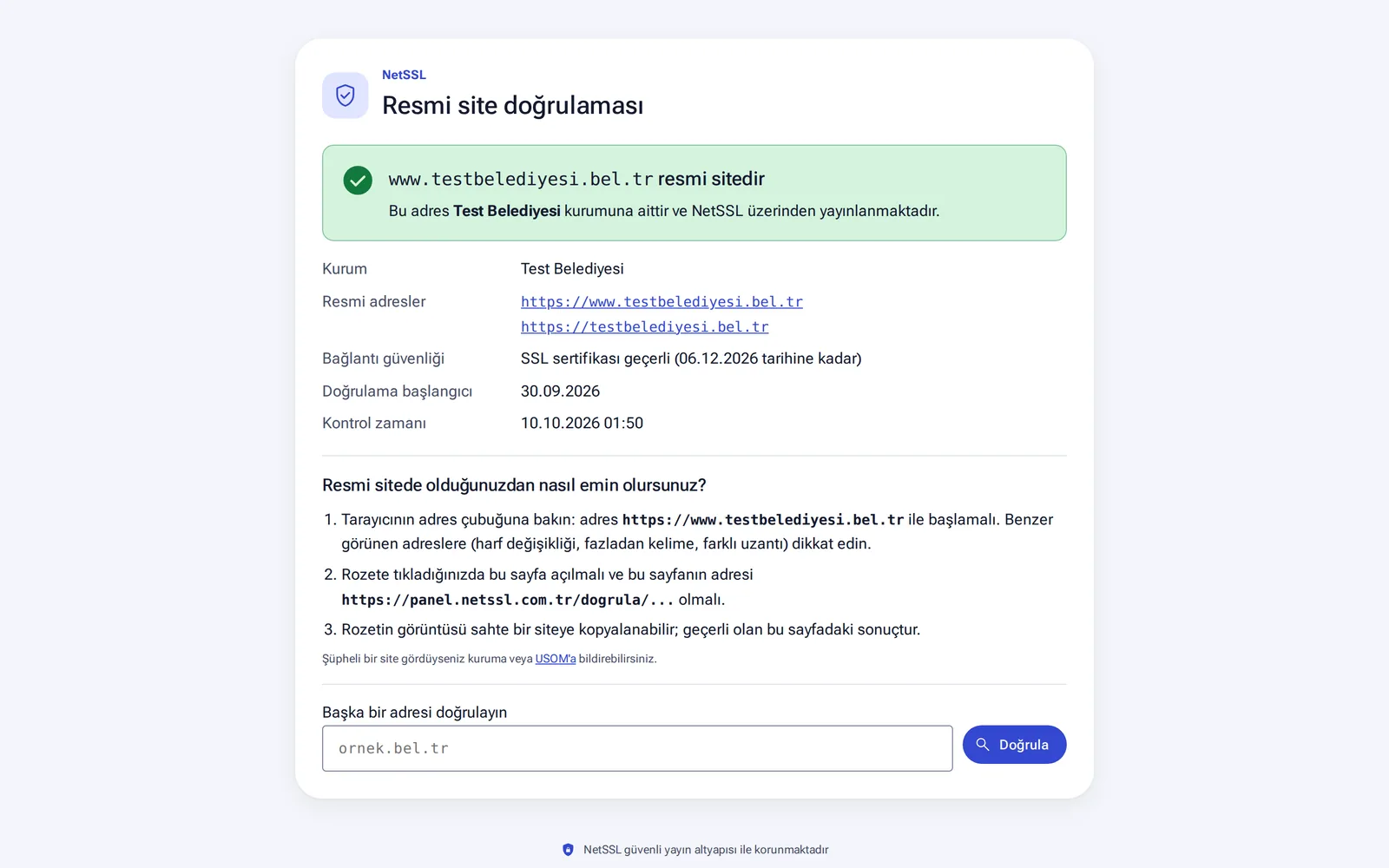
What does the verification page show?
The verification page is public and needs no login. It shows the organization's name, its official addresses, the expiry date of the SSL certificate, the date verification started and the time of the last check. Below that, three steps explain to citizens how to spot a fake site. The page also gives a link for reporting to USOM, Türkiye's national cyber incident response center. Citizens can check another address there too.
You can share the address of the verification page in your announcements, text messages and emails with a line such as "verify our official address here".
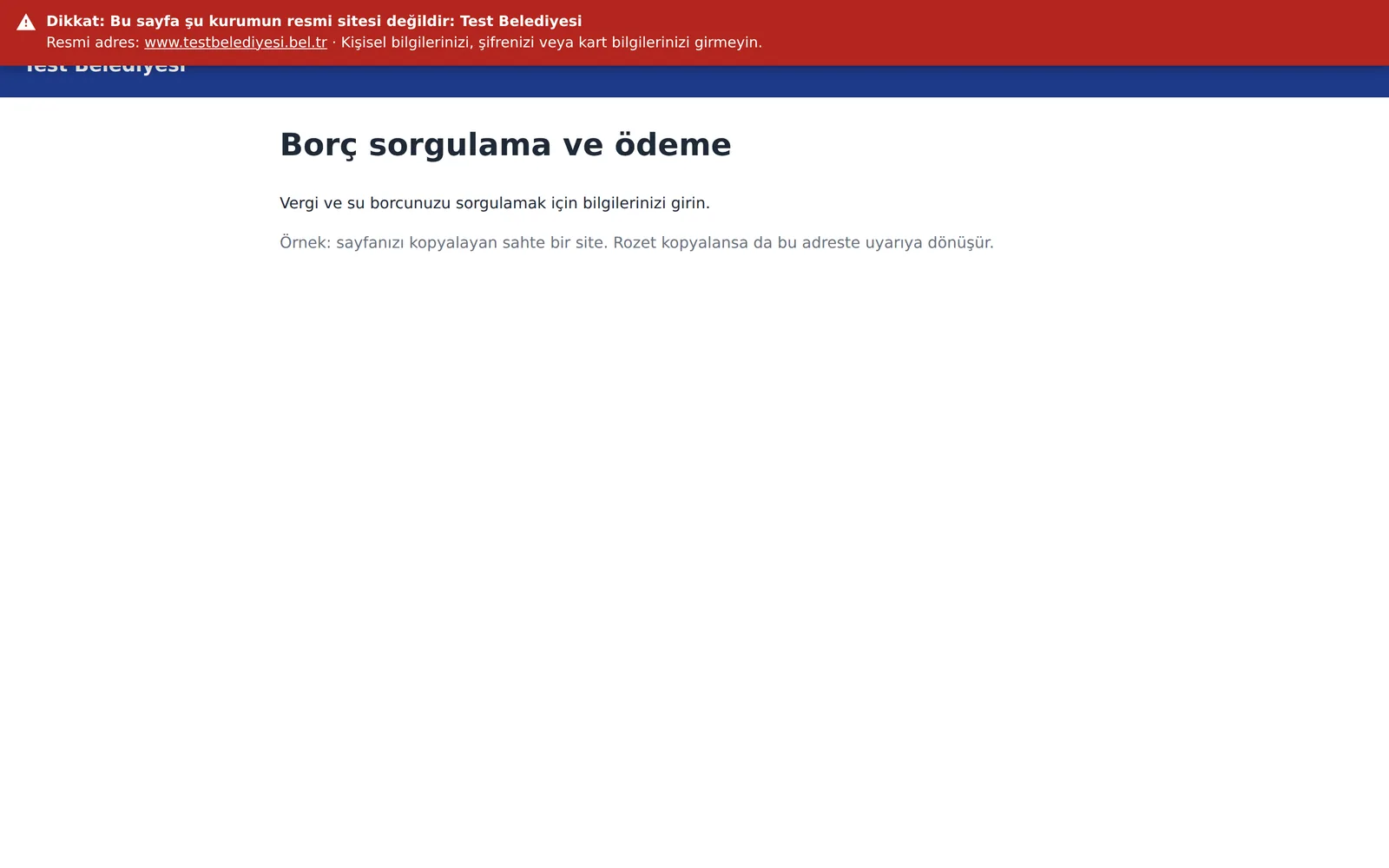
If the badge is copied
If someone copies the badge onto a fake site, it turns into a red warning that covers the top of the page there. The warning reads "Warning: This page is not the official site of [organization name]". It shows your official address and tells citizens not to enter passwords, card details or personal information. You are notified at the same time.
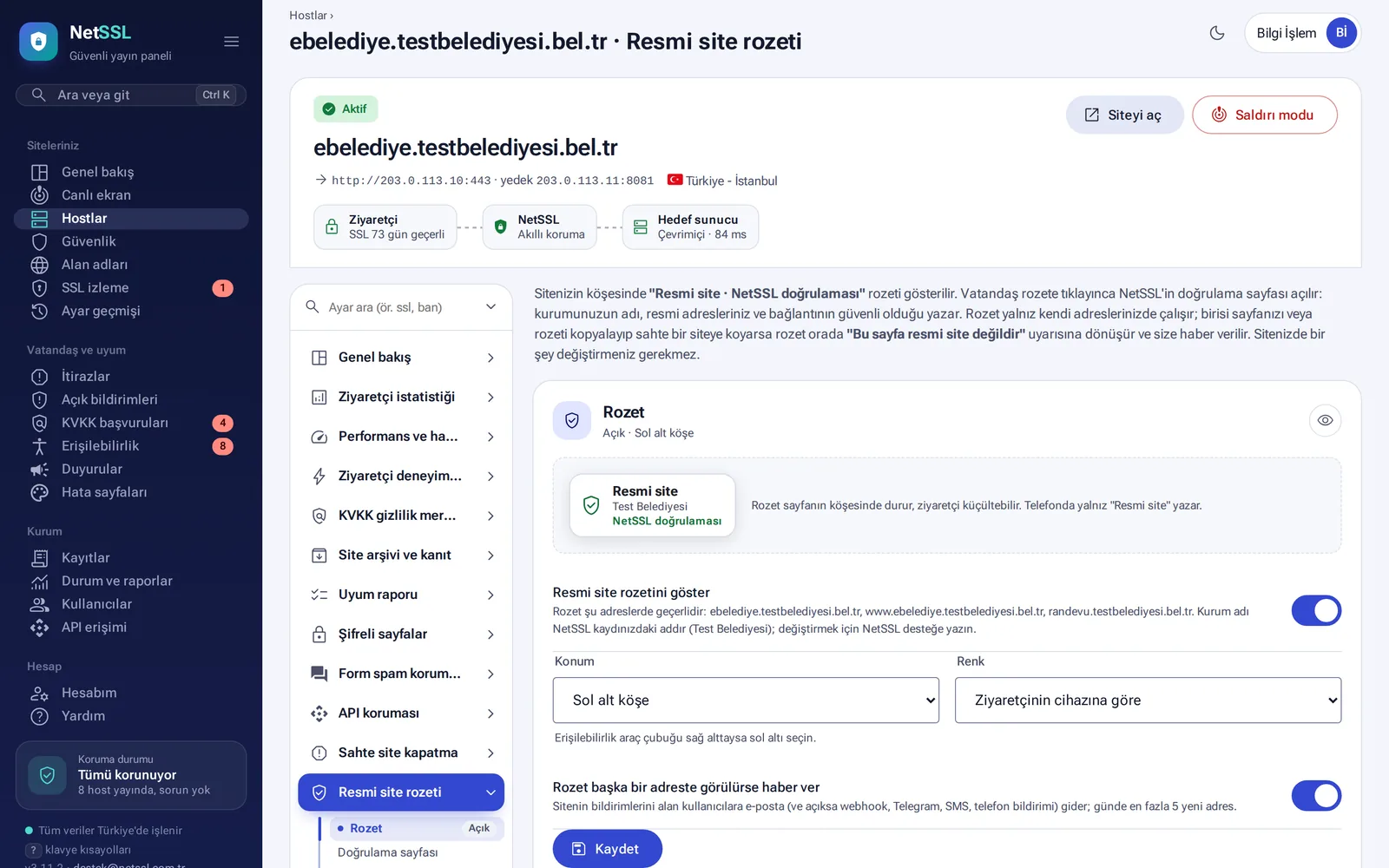
Set up the badge
- On the host's Official site badge page, turn on the Show official site badge switch.
- Choose the position (bottom-left or bottom-right corner) and the color. Visitors can minimize the badge. On phones it only says "Official site".
- Keep the Notify me if the badge is seen on another address switch on.
Other addresses where the badge was seen are listed. The list shows how many visits came from each address to the verification page, and the first and last dates it was seen. You can mark addresses you recognize as Known.
Fake site takedown assistant
When you find a fake site, open the host's Fake site takedown page:
- Enter the address of the fake site and click Collect evidence and start. The NetSSL server collects the evidence in 10–30 seconds. The page is not opened from your computer, and no information is entered on the page.
- The panel finds which company hosts the site and which company sold the domain. It detects whether the page asks for passwords, Turkish ID numbers or card details, and whether it uses your organization's name.
- Ready-made report texts are created for USOM, the hosting company and the domain registrar. You send the reports from your organization's own email address.
- Open cases are checked every 6 hours. A site that fails to open in two checks in a row counts as taken down and is watched for 30 more days. If it comes back, you are notified.
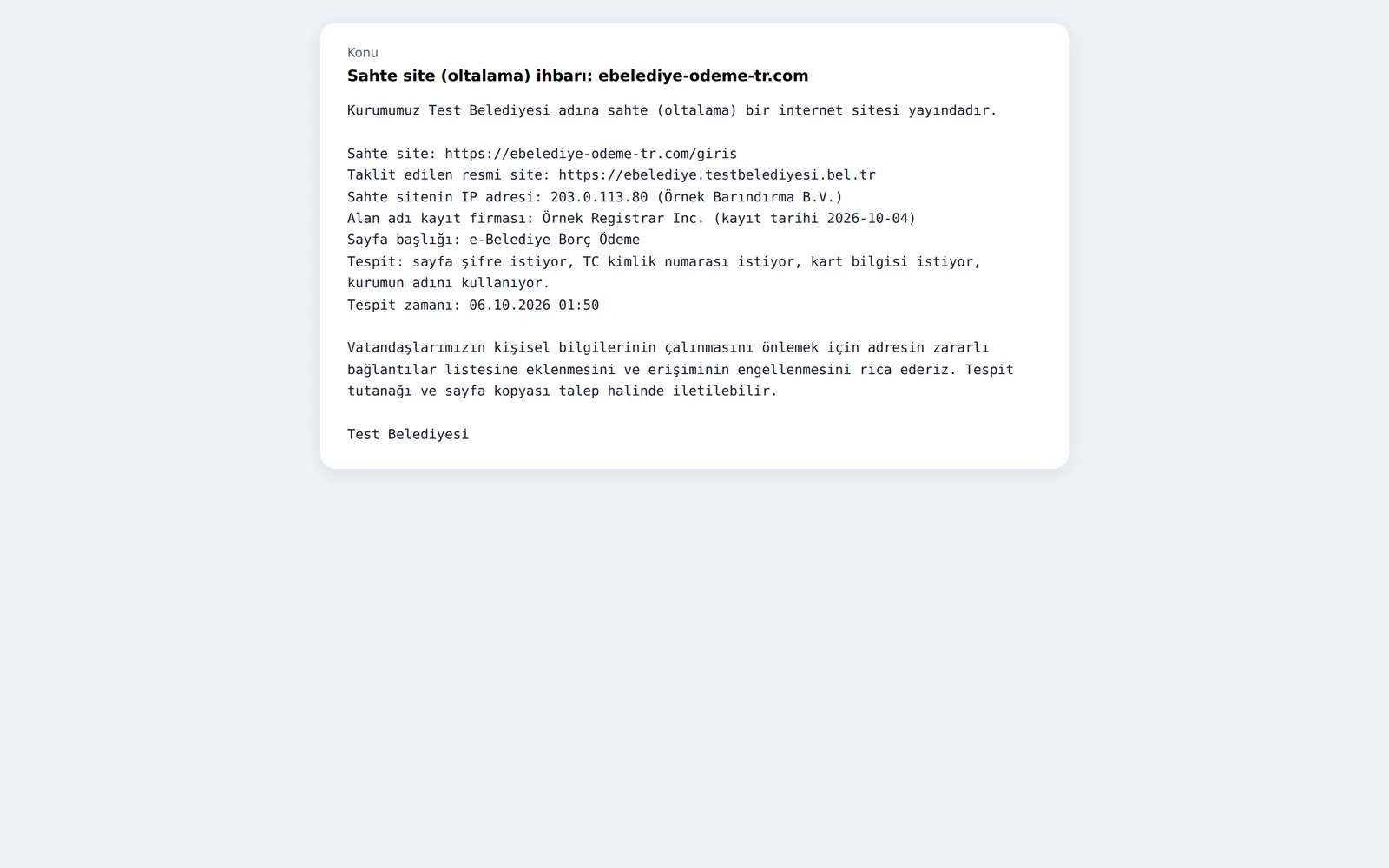
New registrations that look like your domain are found automatically on the Domains page. You can also start tracking them from there.
Frequently asked questions
How do we change the organization name on the badge?
The organization name on the badge is the name in your NetSSL record. To change it, just write to the support team.
Is visiting a fake site a risk for our computers?
The NetSSL server collects the evidence, so you do not need to open the fake site on your own computer.