
What does this screen do?
The live monitoring screen is a full-screen view made for a TV or a second monitor in the IT room. Everyone can see what is happening on your sites, and nobody needs to log in to the panel. The screen refreshes every 5 seconds.
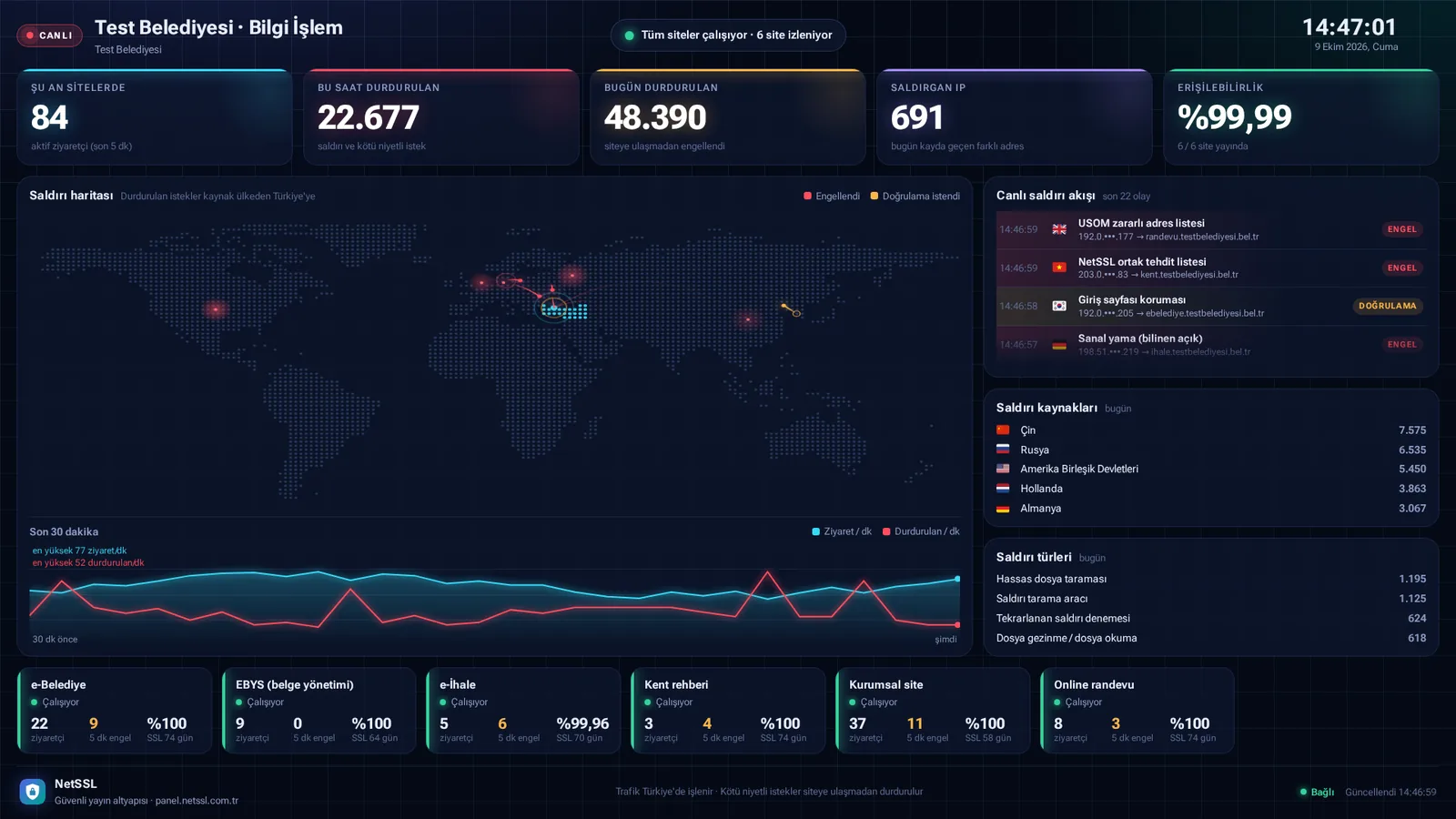
What is on the screen?
- On the sites now: the number of active visitors in the last 5 minutes
- Requests stopped this hour and today, and the number of different IPs that attacked today
- Availability: the percentage of sites that are online
- Attack map: the countries the attacks come from, with blocked requests and requests asked for verification
- The Last 30 minutes chart: visits and stopped requests per minute
- Live attack feed: the rule, target site and outcome of each event
- Attack sources and attack types
- A box for each site: status, visitors, blocks in the last 5 minutes, availability and the days left on the SSL certificate
Open the screen on a TV
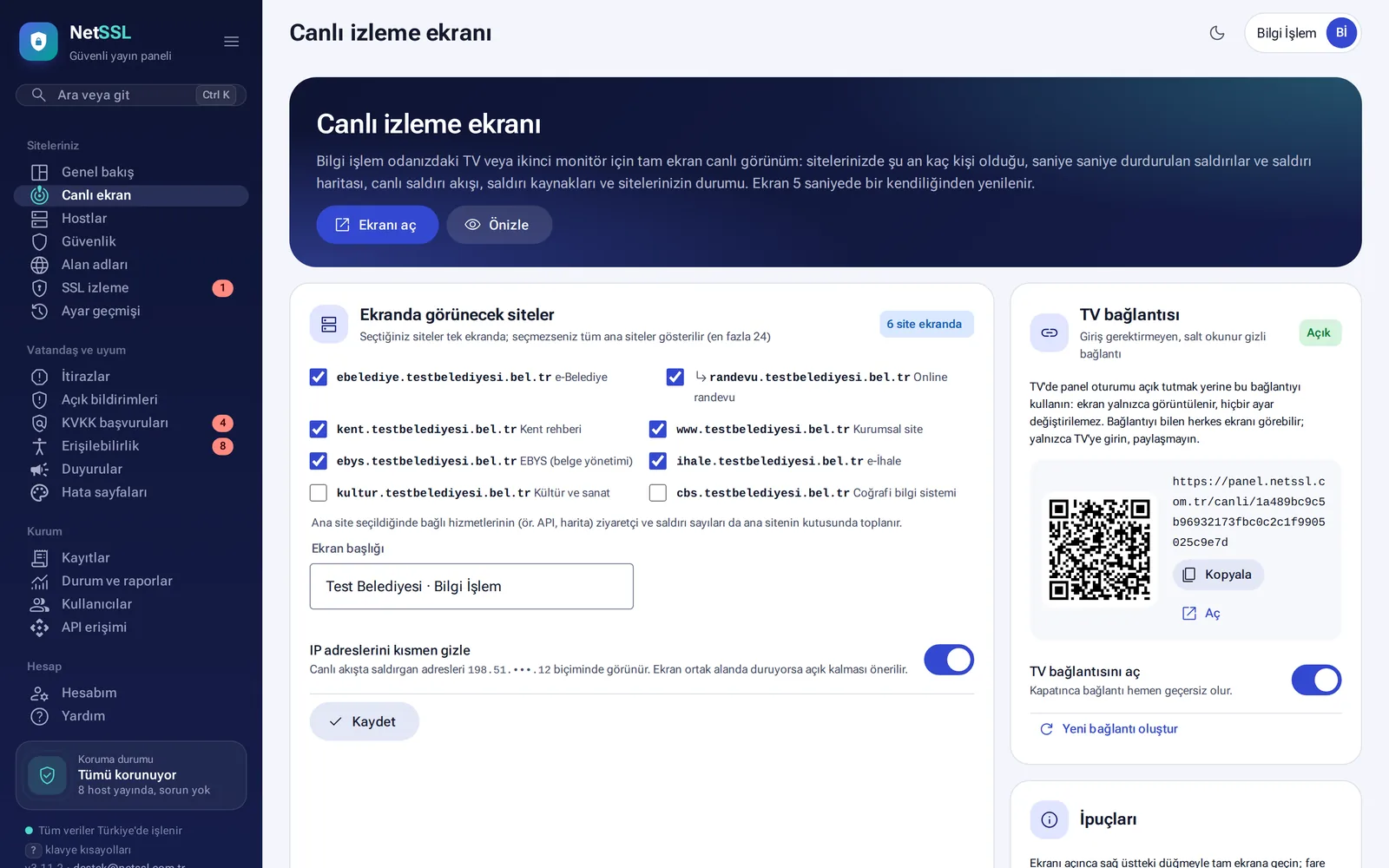
- Open the Your sites → Live screen page.
- Select the sites to show on the screen. If you select none, all main sites are shown, up to 24 sites.
- Give the screen a title if you wish.
- Turn on the Enable TV link switch. This creates a secret, read-only link that needs no login.
- Open the link in the TV's browser. To open it on a phone, you can use the QR code.
Hide IPs in shared spaces
If everyone can see the screen, keep the Partially hide IP addresses option on. Addresses then appear as 198.51.•••.12.
Frequently asked questions
What should I do if someone else gets hold of the link?
Turn off the Enable TV link switch. The link stops working immediately. You can get a new one with Create new link.
Can settings be changed through the TV link?
No. The link is for viewing only.